Using VRBO Market Maker To Increase Bookings

Using VRBO Market Maker To Increase Bookings

Using VRBO Market Maker To Increase Bookings

First let me say I was never really a fan of market maker. I tried it a few times but I guess I never really got the jist of it. I also noticed that the pricing tool found in market maker was always out of wack.

So for years I never really paid attention to market maker… until our VRBO account manager used market maker to show us how to read the VRBO tea leaves so to speak.

After that I felt I needed to share this little tidbit of VRBO gold. It’s now our go to when we need to determine where we should do when we have openings in our calendar.

Disclosure: Some of the links below are affiliate links. If you decide to purchase any of these products, we earn a small commission at no additional cost to you. We recommend these products only because we have experience with them and use them for our own business. As Amazon Associates we earn from qualifying purchases.

First Check This Before Market Maker

Do yourself a favor and make sure your minimum stay for those dates is what you expect it to be.

Sadly, it’s happened to us before. We had a month were we weren’t getting bookings and it just seemed weird.

When we looked at the minimum stay for that month it was way higher than what we normally have. Not sure if it was a goof on our part or a glitch in the matrix, but either way the minimum stay was different… it was very different.

In fact it was way too long. Once we lowered the minimum stay bookings for that month started coming in.

If you don’t see anything unusual then it may be market maker time!

What is VRBO Market Maker

Market Maker is a tool that VRBO came out with several years ago to provide hosts insights into their listing’s performance.

It gives you a comp set, percentage of booked vs. projected booked properties, the booked rates vs. unbooked rates, and the search volume compared to a year ago.

Market Maker came out at about the same time VRBO came up with boosts.

Boosts are like VRBO points you accrue from past VRBO bookings. You can apply the boosts to the dates you’d like to increase your search ranking for.

How To Use VRBO Market Maker To Increase Bookings

There are probably way more Market Maker strategies than what I’m about to go over, but this is what we learned and now use.

If you use Market Maker in a different way let me know in the comments below!!

I’ll be focusing on using Market Maker as a tool to determine where your available dates currently stand in the market place.

We’ll use the three toggles located on the left of the Market Maker graph, Market Rates, Searches for your market, and Occupancy.

How To Use Market Maker To Increase Bookings

Tip:  We do use Market Maker to get insights into what is going on with our open dates.

BUT WE DO NOT RECOMMEND using VRBO’s Smart Pricing. Instead use a pricing tool like Beyond Pricing.

Check out this post for more info on Setting Up Beyond Pricing,

The Market Maker Layout

On the left of the graph are the toggles along with the respective legend for each. We’ll go over each of the toggles and what they do in more detail in the following sections.

Above the graph are a bunch of rows of data. The first row of course is the date.

The row under the dates shows the status of those dates. In our example below you can see that June 24 – July 1 is open. Open dates show as white space, VRBO bookings are green and say reserved and non-VRBO bookings are red and say Booked.

Under the status row is your current rate.

And finally the last row above the graph is your current search position for each date. I believe when you see a green little arrow on top of the search position, it means you’ve applied boosts to that date to increase your search ranking for that date.

How To Use Market Maker To Increase Bookings - Market Rates

Now that you know the lay of the Market Maker land, lets go over how we use it!

1 – Market Rates

The Market Rates toggle is the first toggle displayed. This graph displays your rates compared to the booked and unbooked rates for properties in your comp set.

Below is what our graph looked like. We’re looking at the June 24  – Jul 1 dates. Looking at this graph you can see that our nightly rate is way higher than the avg. booked and avg. unbooked rates.

In this case, that’s okay, if you look at our rates for the dates that are booked we were way higher for those too.

This data point alone isn’t enough to make a decision, but it does tell us we are priced higher than our competition. 

Tip:  When using the toggles it’s much easier to read the graphs if only one toggle is on at a time.

How To Use Market Maker To Increase Bookings - Market Rates

2 – Searches For Your Market

On to the second toggle, Searches for your market. This will show you how many searches were done for those dates in your market this year compared to last year.

What a huge difference! Ours has half the amount of search volume compared to the same time last year. Wowza! 

Now we know that we’re prices higher than our comp set, and there are half as many people looking for those dates compared to the year before.

Let’s take a look at the next toggle’s data.

How To Use Market Maker To Increase Bookings - Searches for your market

3 – Occupancy

The final toggle displays occupancy. The two data points are Current Occupancy and Forecasted Occupancy.

Looks like VRBO thinks each of our available dates have roughly 10% more bookings coming. Subtracting the current occupancy from the forecasted occupancy, gives us more or less 10%.

How To Use Market Maker To Increase Bookings - Occupancy

The Picture Market Maker Created For Us

Based on the three toggles we learned:


  1. We are priced higher than our comp set
  2. There are roughly half as many searches for those dates this year compared to last year
  3. VRBO expects about 10% more bookings for those dates.

Now, everyone is different, but for me when I see that I’m priced waaaay higher than my comp set, there is almost half the amount of search volume compared to the same time last year, AND VRBO only expects another 10% of the properties to be booked for those dates, the picture it paints tells me I need to change something if I want to be in that 10% of those additional booked properties.


Okay, Now What Do We Do?

Sometimes the data is all you need to make a decision, other times it just make you say now what?! The data can clearly spell out that we need to change something, in our case that’s what the data definitely told us. Well great, we know we need to do something…. but what?

The answer to that question can be paralyzing.

But there are always things you can do, and sometimes simply spelling them out is all you need to help you figure out the next step.

 Here’s some of the possible next steps for us:

1 – We could do nothing and see if you get booked at our current rate, it happens all the time but based on the search volume and forecasted occupancy, that seems like a large gamble at this point.

2 – We could leave the rates as is and do some marketing to see if we can find a new guest interested in booking those dates at our price.

3 – We could leave the rates where they’re at and offer a discount to past guests, maybe someone would be interested in booking those dates at a percentage discount.

4 – We could lower the price closer to our competitors’ price point to make it more appealing to VRBO users.

5 – We could lower the price AND market the house and pull a new guest to our property.


Final Thoughts

I hope this was insightful for your vacation rental business! Our data was pretty clearly telling us that something needs to be changed to get those dates booked.

Using the three data points this way allows you to see what you need to change. Each one individually doesn’t give enough data to make a decision, but together they paint a pretty clear picture of where your listing stands.

We used Market Maker to see what was going on with a gap in our calendar, you could also use it to determine rates for future months.

Using the three data points to figure out where time frames you can raise rates or lower them and promote.

For the future dates however, we would definitely recommend using a pricing tool instead. It takes a lot of the burden off your shoulders and will get your higher rates than you would probably set on your own. 

We use Beyond Pricing, but you can use any of them really and they will probably be better than you setting the prices manually.

Check out this post for more info on Setting Up Beyond Pricing,

Was that helpful? What do you do differently?

Are you going to use Market Maker to make decisions on your available dates? What would you do different?

I’d love to know! Leave your thoughts in your comments below. 🙂

Was This Post Helpful? Pin it for later!

Using VRBO Market Maker To Increase Bookings

How To Book Your Orphaned Nights

How To Book Your Orphaned Nights

Airbnb Hosts: How To Book Your Orphaned Nights

Would you like to know how to book your orphaned nights? Great! We’ll go over it in this post, but first let’s go over what an orphaned night is. There are a couple of other terms used for them.

We call them orphaned nights, but I’ve also seen them called orphaned days, gap days, unbookable days, orphan gaps, small gap days and booking gaps.

In short, orphans are the available days between your bookings that are less than your minimum stay.

Let’s say you have a minimum stay on your vacation rental calendar set to 5 days. That means any gaps in your calendar that are less than that number of days will not be available for someone to book.

There are a couple of ways you can get those days booked while minimizing your risks. Let’s cover what suggestions others offer and what we do with our orphaned nights.

Disclosure: Some of the links below are affiliate links. If you decide to purchase any of these products, we earn a small commission at no additional cost to you. We recommend these products only because we have experience with them and use them for our own business. As Amazon Associates we earn from qualifying purchases.

What Others Recommend For Orphaned Nights

There are many sites out there that recommend lowering the minimum night stay as the orphaned nights get closer.

Which we agree with… to a point.

If your minimum is 5 days and as it gets closer you lower your minimum to 3 days, that is a really good strategy.

The problem is they go so far as to recommend lowering your minimum to 1 night. That we DO NOT agree with!!

Lowering the minimum stay to 1 night opens you up to parties. If you’ve been in the VR business for a bit, you know parties are something you want to stay clear of at all costs. A vacant night is way better than a destroyed property.

stay clear of 1 night bookings

What We Do With Orphaned Nights

Here’s the strategy we use for our orphaned nights. We think the best people to rent the orphaned dates to are the guests that we have already vetted.

 The guests most likely to want to book those days are the guests staying before and after the orphaned dates!

 Ask them if they would like to extend their stay at a discount. 

We keep a 2 or 3 night minimum through the year and when there are gaps of 1 or two nights we offer them at a discount to the guests on either side of the available dates.

This strategy increases your income without adding any additional risk.

Another thing you could do is send a message to past guests offering the orphaned dates at a discount. You may have past guests interested in a short getaway at a discount. Past guests that you already had a positive experience with are also in the no risk pool in our eyes.

When To Offer The Orphaned Night Discount

We offer them the discounted nights as soon as we see them and we received everything we need from them (things like drivers license and rental agreement).

That way it gives them enough time to change flights, rearrange their schedule, get more time off from work, etc…

How Much Of A Discount?

To determine the discount we look at the rates for those dates and determine a rate that would feel like a discount compared to what is listed. It makes sense to offer them a rate that will get them to book, heck it’s all free money anyway – if they don’t book the dates then you get $0. 🙂


Now Go Out There And Book Those Orphaned Nights!

Our goal as vacation rental owners is to increase the  income… but you don’t want to do that at the risk of ruining your property.

Offering the nights to the guests on either side of the gap or to past guests increase your chances of safely booking those nights.

If you’d like some other ideas on how you can increase your vacation rental income, check out this post:

5 Ways To Increase Short Term Rental Income Today 


5 Ways To Increase Your Short Term Rental Income Today - Book Orphaned Days

Was that helpful? What do you do differently?

Are you going to try this method to fill in the small gaps in your calendar? What are you doing for the small gaps currently?

Let me know in you the comments below!!

Was This Post Helpful? Pin it for later!

Airbnb Hosts: How To Book Your Orphaned Nights

Setting Up Beyond Pricing

Setting Up Beyond Pricing

Setup Beyond pricing for more income with title

We’ve been using Beyond Pricing for about a year and a half and it has been a game changer for us. Before going to Beyond Pricing we also looked at Wheelhouse and Pricinglabs.

All of the pricing tools basically do the same thing, but for different platforms. At the time we were looking at pricing tools, Beyond Pricing was the only option for our scenario and it has been fantastic!

Wheelhouse, Pricelabs and Beyond Pricing integrate with Airbnb but only Beyond Pricing integrates with VRBO. Since just about all our OTA bookings come from VRBO, Beyond Pricing was the only choice for us.

In this post I’ll go over setting up your listings with Beyond Pricing. We highly recommend using Beyond Pricing for dynamic pricing, but if for some reason you don’t want to use BP, please do yourself a favor and use another dynamic pricing tool.

An automatic pricing tool is a must. Not using one will cost you thousands in additional income.  

I would not recommend using the built-in tools for either VRBO or Airbnb. They have never been that great for us. VRBO’s Market Maker does give you a lot of data, but it just doesn’t compare to using a 3rd party dynamic pricing tool.

If you’ve already setup a Beyond Pricing account then you can skip to Step 3, that’s where we’ll go over setting up the pricing.


Disclosure: Some of the links below are affiliate links. If you decide to purchase any of these products, we earn a small commission at no additional cost to you. We recommend these products only because we have experience with them and use them for our own business. As Amazon Associates we earn from qualifying purchases.

Step 1 – Create a BP account

Creating A Beyond Pricing account is fairly straight forward. Click the button below to go to the Beyond Pricing website and click the Get Started Button on the upper right of the page.

Beyond Pricing Getting Started

Like I said, this part is pretty straight forward and Beyond Pricing does a good job of guiding you through the process.

Step 2 – Login and Link your Listings

This is also a pretty straight forward process. Simply login to your Beyond Pricing account and BP will guide you through connecting a listing to BP.

If you aren’t prompted, you can click the button below to bring you to the page where you can connect your Listing.

Connect Your Listing To Beyond Pricing

On that page, click the listing you’d like to link to Beyond Pricing and you’ll be guided through the process.

Step 3 – The Meat And Potatoes – Setting Up Rates

This is where the good stuff starts. There are a bunch of settings you can adjust once you are comfortable using BP, but to get started there are four things you’ll need to figure out.

1- Minimum Price – What is the lowest price you’re willing to accept per night

2- Base Price – What is your average rate

3- Your booking window – How far ahead do you allow guests to book. Too far out and you may be missing out on getting a higher rate per night and too close and you’ll end up with more unbooked dates then you’d care for.

3- Your booking sweet spot – How far ahead would you like to have your calendar full. This is what we used to figure out our initial base rate.


The Minimum Price

This one isn’t too hard for most vacation rental hosts to come up with. The minimum price is your line in the sand that you are not willing to cross per night.

What number are you not willing to go below? That is your minimum price. You can do what we did at first, pad it a little to see what nightly rates BP generates for you.

You’ll most likely see the minimum price used in the shoulder months.

You’ll also see it used on the weekday rates if your property is in an area that’s primarily weekend bookings during the off-season.

The Base Price

This number is a whole lot trickier to come up with. In fact, I think this is the number that causes many to shy away from pulling the trigger on setting up dynamic pricing for their listing.

It feels daunting at first but don’t worry, none of this is set in stone. You can change this number as much or as little as you want.

The important thing is to pick a number, then you can adjust it later.

I’ll go over how we figured out our base price in the following section, but first I’d like to go over what the booking window is and the reasoning behind it.

If you can’t wait to see how we came up with our base price, you can skip to that section now.

The Booking Window

Beyond Pricing is able to set your listing’s pricing up to a year out.

I’ve heard many gurus recommend setting a 90-day booking window. Meaning guests will only be able to book their stay 90 days or less from check-in.

In fact, Beyond Pricing provides a rating of how well your property is performing based on that 90 day window. The more bookings you have further than 90 days away the lower your BP score will be.

The logic behind a smaller window is simple. There is a higher probability that many more houses are available for booking 6 months or a year out compared to 90 days out.

As the inventory of available houses dwindles the price for each house that is still available can be increased, based on supply and demand.

The theory sounds great, but we don’t subscribe to it. We personally set our booking window to a year out. The max that BP can set pricing for.

Here’s Why

We look at it a little differently. Of course, we want to maximize income but we’d also like to attract better guests.

In our experience, guests that plan out their vacations 6 -12 months ahead of time are more responsible and happier guests. Of course, there are exceptions but in our experience, that has been the case.

So, we’d rather get a booking from what is usually a more responsible guest, 6 – 12 months out rather than a guest that books 3 days before arrival which have a tendency of not being as responsible.

For us, it’s a balance of maximizing income and having great, responsible guests. Just make sure the prices you have that far out are high enough that you’ll be happy with the amount should you get a booking further out.

The Booking Sweet Spot

The way Beyond Pricing looks at it, to maximize your income, you should have openings less than 30 days away.

We don’t agree with that.

Actually, we do agree, in that it’ll maximize your nightly rate. But, there’s another ingredient to the booking sweet spot recipe that needs to be added.

Don’t get me wrong, We’re okay with getting a last-minute booking once and a while. However, if that was the norm, we feel we’d start getting the less than attractive guests (less responsible, more demanding, etc).

The sweet spot for us is 100% booked right around when the 30-day window starts. It won’t always be booked 100% 30 days out, but it’s what we aim for.

With that in mind here’s how we figured out our base rate.

Let’s Set Some Rates

Once you know your booking sweet spot, you can easily set your base price.

In our example we figured out we wanted our property to be 100% booked about 30 days out. That was our ideal situation.

So, when it came time to have BP set our rates for us (without breaking everything) we adjusted the base price until the rate BP sets at the 30 day window was similar to what our current, non-beyond pricing rates are.

Since the new beyond pricing rates for our booking window were similar to the rates we set before beyond pricing, it allowed us to start using beyond pricing without freaking out about the base price we chose.

We left it like that for a couple of weeks and then we steadily raised our base price.

That is how we got started with Beyond Pricing.

Setting the beyond pricing rates to match our existing rates in the booking window was like our training wheels for using their service. 

It’s funny, now that I have been using beyond pricing for well over a year, I don’t see what the big deal is. When we were first doing this though, we were really worried about doing the wrong thing.

I’m here to tell you, don’t worry about it. Just choose your base price and you can always change later.


How Often You Need To Update Rates

Again, this is something you can play with as much or as little as you want. Some people just love tinkering with the numbers constantly to find what works best.

Others are more of a set it and forget it approach.

We’re between the two, but lean toward the set it and forget it camp. For the most part we leave our rates alone and we use our booking window as our guide.

If we’re 100% booked before the booking window that tells us we need to raise our rates. If we feel there are an increasing number of days that are unbooked well within our booking sweet spot, then maybe we’d lower our rates.

With the unbooked dates in our booking sweet spot we manually override the prices for those dates and offer a discount.

We may have lowered our rates in the beginning because we were still nervous about the base number we chose. Once we got comfortable with the process we’ve only been raising rates. 🙂

As you start using Beyond Pricing you’ll have your own way of doing things, but the important thing is to start using a pricing tool.

You’re Done! Now get ready for more income!

I hope you found this post useful and that it motivates you to get started with Beyond Pricing! Seriously, no matter what size property you have, you will literally increase your income by the thousands of dollars. It has totally changed our business and I hope it does the same for you.

If you’re looking for other things you can do to increase your income, check out this post:

5 Ways To Increase Short Term Rental Income Today


Was This Post Helpful? Pin it for later!

Setting up Beyond Pricing will dramatically increase the income your vacation rental business is producing. Whether you have listings on VRBO, airbnb, booking.com you'll be able to use Beyond Pricing to set your pricing. This post will go through how to set your price points.

5 Ways To Increase Short Term Rental Income Today

5 Ways To Increase Short Term Rental Income Today

5 Ways To Increase Your Short Term Rental Income Today

I doubt there is a vacation rental owner anywhere that wouldn’t like to increase their income.

The funny thing is we all want to increase our income but we often aren’t willing to make the changes needed to increase it. 

We somehow expect the income to increase without changing a thing.

Unfortunately, that’s not usually how it works. If you want to increase your income, the quickest way to do it is to change something for the better.

When I say change something, I don’t mean physical improvements.

Sure, adding a hot tub or adding an extra bedroom will increase your income, but there’s also a significant cost that goes along with them.

There are things you can change today that will increase your income with no upfront costs, and that’s what I’m going to focus on in this post.

Last year, when the pandemic significantly reduced tourism for one of our houses, we needed to make changes to increase our exposure to potential guests.

These are the ways we were able to increase our vacation rental income last year. 

I hope you’ll find the 5 Ways To Increase Short Term Rental Income Today helpful.

Disclosure: Some of the links below are affiliate links. If you decide to purchase any of these products, we earn a small commission at no additional cost to you. We recommend these products only because we have experience with them and use them for our own business. As Amazon Associates we earn from qualifying purchases.

Tip #1 – Allow Pets

Allowing pets is something we resisted doing for a long time. We heard from a few sources that allowing pets would increase the number of bookings but we were nervous about doing it.

It conjured images in our heads of a bunch of St. Bernards rampaging through the living room, and  since we love our houses, we couldn’t imagine doing that to them.

At least, that’s what we used to think – before Covid. Thankfully, Covid nudged us to change our views on pets.

5 Ways To Increase Your Short Term Rental Income Today - Accept Pets

Now, we’ve been allowing pets for a little over a year, and we’re happy to say, it’s been our best year yet.

Shortly after we started allowing pets, the number of bookings increased back to what it was pre-pandemic and we then realized we could raise our rates (check out tip #5 for a great way to set your rates automatically). 

Tip:  One thing I’d recommend before allowing pets is to make sure you have a cleaner that is top-notch.
If you don’t feel confident they can clean the house of pet hair, you may need to change your cleaners before allowing pets.

Tip #2 – Decrease The Minimum Stay

We also decreased the minimum stay. Let’s face it, most people’s schedules are pretty packed these days.

The number of families that can take a trip for 5-7 days is less than the number of families that can take a 3-4 day trip.

That means lowering the minimum number of days increases the number of potential guests that see your house.

We used to have a 5 day minimum and we changed it to a 3 day minimum.

5 Ways To Increase Your Short Term Rental Income Today - Lower The Minimum Stay

Warning:  Don’t get carried away with this one. DO NOT go too low. Definitely, no one-day stays because those would almost certainly be parties – and if you’re like us you want families staying on your properties.

Even be wary of two-day minimums, depending on where your property is. For the house in the Poconos, we have two-day minimums because most guests do weekend stays off-season. In Florida, we did 3-day minimum because our guests there come from out of state.

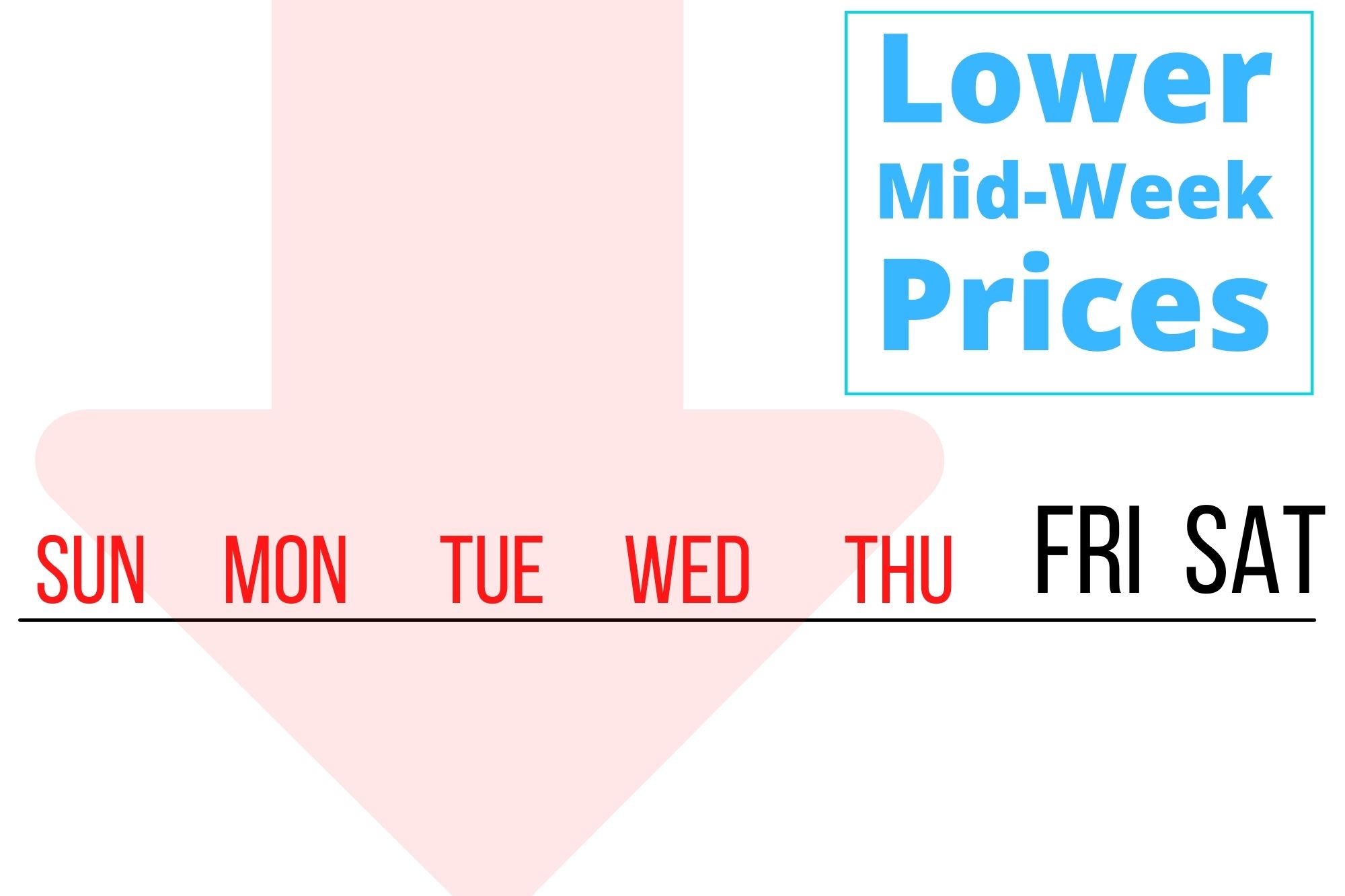
Tip #3 – Lower Your Mid-Week Prices

This one may not apply to everyone, but if you are in an area where weekend stays are the norm, especially in the off-season – then lowering your mid-week prices can really help out.

We did this in the Poconos since weekend bookings are typical during the off-season.

Lowering the mid-week rates attracted more bookings and significantly increased our days booked – to be fair, the change in work and school schedules because of Covid also had a lot to do with it.

For us, we consider Sun – Thu mid-week.

5 Ways To Increase Your Short Term Rental Income Today - Lower Mid-Week Prices

Tip #4 – Book The Orphaned Days

We’ve been doing this for a couple of years now and it’s worked out really nicely.

If there’s a 1 or 2-day gap between guests and the minimum stay is set to 3 days, those 1 or 2 days are dead.

Those days will never book because it doesn’t meet the minimum length.

I’ve seen YouTube videos that recommend renting those orphaned days at the last minute while charging a premium.

To me that’s crazy!

5 Ways To Increase Your Short Term Rental Income Today - Book Orphaned Days

First, we don’t like super duper last-minute bookings – they are often guests that don’t treat your house nicely.

Second, booking a 1-night stay is a no-no. Never do that, it’s an invitation for parties that will trash your property.

It doesn’t matter how much they pay for that 1 night, it is not worth it.

Instead, we offer those days to the guests staying before and after the orphaned days at a discount.

That’s worked really well, I’d say we get an extra 10 -15 booked days a year from guests extending their stay by offering them the orphaned days at a discount.

This is the safest way to get those orphaned days booked. Yeah booking those single nights at a premium would make more money but the risk of the property getting trashed by that 1-night rental is too great to even consider.

Check out our other post, How To Book Your Orphaned Nights for more details on what we do with our ophaned nights.


Tip #5 – Use a Pricing Tool 

I would say this is the biggest one on the list. It’s a no-brainer, this will definitely increase your income.

It’s one of those things that may be a little intimidating but within a month you’ll see the benefit. We definitely did.

There are a few pricing tools out there but the one we chose to use was Beyond Pricing.

Beyond Pricing was great for us because it works with both VRBO and Airbnb, which were our two primary booking OTAs.

5 Ways To Increase Your Short Term Rental Income Today - Use A Pricing Tool

If you’re not sure which of the 5 on this list you should try, please try this one!

Try any pricing tool, we’d recommend Beyond Pricing because that’s what we use. But if you don’t want to use them, please do yourself a favor and try out another one.

Not using a pricing tool almost guarantees you are leaving money on the table.

Personally, after a couple of months, we started getting bookings with rates that were waaaay higher than what we would have ever set ourselves.

If you sign up using the links below, you’ll be able to try it out free for 30 days.

We saw a big increase in the rates we were getting once we started using it. Give it a try and see what difference it makes for you.

If you’d like more details on how we setup our Beyond Pricing account, check out our post Setting Up Beyond Pricing

 It isn’t difficult at all, but when you’ve never used it before, a little guidance goes a long way.

You’re On Your Way To Increase Short Term Rental Income!

There you have it, those are 5 ways to Increase Short Term Rental Income Today with no upfront costs.

I’d recommend trying all of them! If you don’t, at the very least try doing one of them (I’d recommend the pricing tool).

Which one will you try?

Let me know in the comments below. If you have other ways you think that vacation rental income can be increased add that in the comments too!

Was This Post Helpful? Pin it for later!

5 Ways To Increase Your Short Term Rental Income Today

The Right Way To Sync Short Term Rental Calendars

The Right Way To Sync Short Term Rental Calendars

The Right Way To Sync Short Term Rental Calendars

If your vacation rental property is only listed on one OTA then syncing calendars isn’t a problem for you… yet.

Eventually, you’ll probably want to list your property on more OTAs. After all, the more fishing lines you have in the water, the more chances you have of catching a fish. 🙂

Once you do list on more than one OTA, syncing calendars becomes really important.

Disclosure: Some of the links below are affiliate links. If you decide to purchase any of these products, we earn a small commission at no additional cost to you. We recommend these products only because we have experience with them and use them for our own business. As Amazon Associates we earn from qualifying purchases.

Why Do You Need To Sync Your Vacation Rental Calendars?

Well, you don’t… unless you have your property listed on more than one OTA.

If your property is listed on more than one OTA then the main reason for syncing calendars is to prevent double bookings.

Unless you sync calendars between the OTAs, one OTA doesn’t know what the other is doing.

Let’s say you’re listed on VRBO and Airbnb and you’re not syncing calendars between them.

Woohoo! You just got a booking on VRBO for July 4th, unfortunately, Airbnb has no idea that your July 4th is booked on VRBO so it still shows that holiday as available on Airbnb.

Without syncing the calendars there is a chance that Airbnb would also book July 4th for you, and THAT WOULD BE A PROBLEM!

Syncing your calendars will significantly reduce the chances of that happening.

How We Initially Kept Track Of Bookings – The Wrong Way

We started on VRBO (back then it was HomeAway) and after a few months, we added the property to Airbnb. Somewhere along the line, it occurred to me that Airbnb had no idea about the VRBO bookings and I found a way to import the VRBO calendar on Airbnb. Basically, I started using my VRBO calendar as a master calendar.

When I got an Airbnb booking I blocked the dates on the VRBO calendar manually.

As time passed I listed the property on other OTAs (Flipkey, GlampingHub to name a few), with the same setup. I imported the VRBO calendar on the OTA sites and would manually block the dates on the VRBO calendar when they came in from the other OTAs.

We did this for a looong time and it worked, but it relied on us remembering and manually blocking dates on the VRBO calendar.

If only I knew I could have done a little more legwork and I would no longer have to manually block the non-VRBO bookings on the calendar. 

The Right Way To Sync Short Term Rental Calendars

If you’re using a management site to manage your listings then this info probably doesn’t apply to you. The management site will probably be your master calendar and you’ll sync your OTA calendars to it.

If you don’t know what I’m talking about and you have your property listed on more than one OTA then this info is for you.

Basically, what you’ll be doing is copying the calendar export URL (aka ics file or ical file) from one OTA and pasting it into the import area of all the other OTAs.

What’s an ICS or iCal File?

The export link is a URL to an ics or ical file. The ics file is a text file formatted in a special way that lists the dates that OTA has booked for your property.

Whenever OTA #1 has a booking or cancellation it will update it’s file with the booking changes.

When you paste OTA #1’s export URL in the import area of OTA #2, OTA #2 will periodically check the URL for changes.

Every site automatically checks for changes to the calendar file. Once you give it the URL to check the file it handles the rest.


An Example Syncing With Two OTA Listings

If you’re listed on two OTAs, let’s say VRBO and Airbnb. It’s pretty simple: 

Sync-VRBO-and-Airbnb-Calendars

To sync VRBO and Airbnb Calendars

To sync VRBO and Airbnb Calendars, this is all you need to do.

Open both listings in different browser tabs then:

  1. Copy the calendar export URL from VRBO and paste it into the import calendar area on Airbnb
  2. Copy the calendar export URL from Airbnb and paste it into the import calendar area on VRBO

With step 1 completed, VRBO will let Airbnb know about changes it has.

With step 2, Airbnb will let VRBO know about its changes.

That’s it you’re done. They both now know about each other’s calendars!

An Example Syncing With Four OTA Listings

The more OTAs you have your property listed on, the more complcated it gets.

If you’re listed on four OTAs it gets easier to lose track, let’s say you use VRBO, Airbnb, Flipkey and Glampinghub.

Here’s a graphical representation of what syncing those calendars correctly looks like.

Now I know that diagram looks like craziness. The point is, each OTA needs to know about every other OTA calendar.

Sync Multiple Vacation Rental Calendars

Setting this up can be confusing, mostly because you can easily lose track of which you did last.

But once it’s done, you won’t have to think about this again.

At the end I’ll have tips on how to keep track of everything while you’re going through it… and don’t worry it’ll be easier than trying to figure out that picture. 🙂

Finding The Calendar Export Link

Any site that accepts bookings usually also has a way to export their calendar and import other OTA calendars. It’s usually on the page where you find the calendar for that OTA.

The import and export sections will most likely be in the same general calendar area.

Below are directions for finding the VRBO and Airbnb Import/Export options but for other OTAs you should be able to find similar options on the calendar page.

If not, you can reach out to their support or do a search in their help area for “sync calendar”.

Where To Find The VRBO Calendar Export URL

The VRBO import and export area is pretty easy to find.

Click Calendars, then Reservations on the Main Menu. That’ll bring you to the calendar page.

Click the Import/Export option located above the calendar.


Syncing Vacation Rental Calendars From Different OTAs - Finding The VRBO Calendar
Syncing Vacation Rental Calendars From Different OTAs - Finding The VRBO Calendar Import Export
Syncing Vacation Rental Calendars From Different OTAs - Finding The VRBO Calendar Import Export dialog

When you click Import/Export you’ll get a dialog where you can select Import calendar or Export calendar.

Clicking Export calendar gives you a link to the VRBO calendar URL.  You’ll paste that URL into the import calendar of all the other OTAs.

Import calendar is where you click to add the calendar URLS of the other OTAs.

All you need to do is paste the other OTAs calendar URL and give it a name. Easy Peasy.

Where To Find The Airbnb Calendar Export URL

Airbnb’s Import/Export is a little trickier to find.

Click on Listing on the menu bar.

Syncing Vacation Rental Calendars From Different OTAs - Finding The VRBO Calendar Import Export dialog

Click on the listing that you want to sync

Click on Availability on the Listing’s Menu

Syncing Vacation Rental Calendars From Different OTAs - Finding The Airbnb Calendar

Scroll to the bottom and you’ll see a Sync Calendars section with two options Import Calendar and Export Calendar

Syncing Vacation Rental Calendars From Different OTAs - Finding The Airbnb Calendar

Import Calendar is where you’ll go to add other OTA calendar URLs to Airbnb

Export Calendar is the URL to Airbnb’s calendar file. That’s the URL you’ll add to the other OTA’s Import Calendar section.

How To Keep Track Of Everything

If you have more than 2 listings, the biggest gotcha is trying to keep track of what you added where. So here’s a simple way to keep track of it along with a process to methodically go through it.

Let’s start by opening either excel or Google Sheets (which is free).

1 – Make A List Of Your OTA Sites

First start by listing the name of every OTA you have your property listed on.

For my example I have 5 OTAs – VRBO, Airbnb, Flipkey, GlampingHub, and Houfy.

(Imagine what that syncing diagram would look like) lol


Syncing Vacation Rental Calendars From Different OTAs - Keeping Track - List The OTAs

2 – Add The Export Calendar URL For Each

Now Get the export calendar URL for each and put it into column B.

Syncing Vacation Rental Calendars From Different OTAs - Keeping Track - Add the Calendar Export URL

3 – Import Each Calendar URL To All OTAs

You now have a complete list of the Calendar Export URLs for all your OTAs.

The next step is to add the Export URLs into each of the OTAs import calendar section.

The best way to go through this process is in order.

In my example I would start with vrbo.

I’d go to the import calendar section of vrbo and paste the URL for airbnb, flipkey, glampinghub and houfy in it.

Then I would go to the import calendar section of airbnb, and paste the URL for vrbo, flipkey, glampinghub and houfy.

And keep going down the list until I was done. Now you have everything syncing with everything else!

Syncing Vacation Rental Calendars From Different OTAs - Keeping Track - Add the Calendar Export URL

Your Calendars Are Now Syncing

Syncing calendars felt a little overwhelming before I start doing it.

But once I understood that each OTA has a calendar export URL and that URL needs to be pasted into all other OTA’s import section it made much more sense.

Then it was just a matter of keeping track of what I was doing.

In this post we went over:

  • what it means to sync your calendars
  • why you should sync calendars
  • how to sync your vacation rental calendars without losing your mind. 😉

Hopefully, this post helped you sync all your calendars.

If there’s something you’re having a problem with or if you have a question I didn’t cover let me know in the comments below!

Was This Post Helpful? Pin it for later!

The Right Way To Sync Short Term Rental Calendars

Pin It on Pinterest