How To Create Airbnb Email Templates

How To Create Airbnb Email Templates

How To Create Airbnb Email Templates

Airbnb email templates are vital to the sanity of vacation rental hosts.

Without them, there’s lots of time spent recreating the wheel every single time a message is sent out.

After reading this article, you’ll know how to create Airbnb email templates…well actually Airbnb saved messages to be exact. 🙂

It may take a little bit of time to set them up initially, but you’ll get all the time (and then some) back after just a few correspondences.

They’ll be a work in progress for a while (meaning you’ll be updating them here and there) but that part is pretty easy.

As you reread your templates or come across new material, you’ll find better ways to communicate the same thoughts.

Before you know it, you’ll have your templates ironed out and you’ll be left with rock-solid email templates.

If you’re not sure why you should be spending time on email templates, take a look at my previous post, Why You Need To Use Airbnb Email Templates.

Disclosure: Some of the links below are affiliate links. If you decide to purchase any of these products, we earn a small commission at no additional cost to you. We recommend these products only because we have experience with them and use them for our own business. As Amazon Associates we earn from qualifying purchases.

Naming Your Templates

The title of the email template (saved message) is only visible to you, so you can name it whatever you’d like.

The point of the template title is to make it easy for you to find the template you want to use.

With our templates, we name them similar to what is listed in the email sequence.

The name starts with the sequence number (that way they’re listed in order) followed by a short description.

So our first message thanking the guest for booking with us is titled “1 – Thank you for Booking”

Using that naming convention makes it very easy to find the template you want to send them.

Creating Airbnb Email Templates

To access your Airbnb Saved Messages, go to your Inbox in your Host account and click on your inquiries.

On the inquiries page, click the Use A Saved Message Link. 

That’ll open a dialog that lists all the saved messages you have.

Where To Find The Airbnb Email Templates - Airbnb Saved Messages

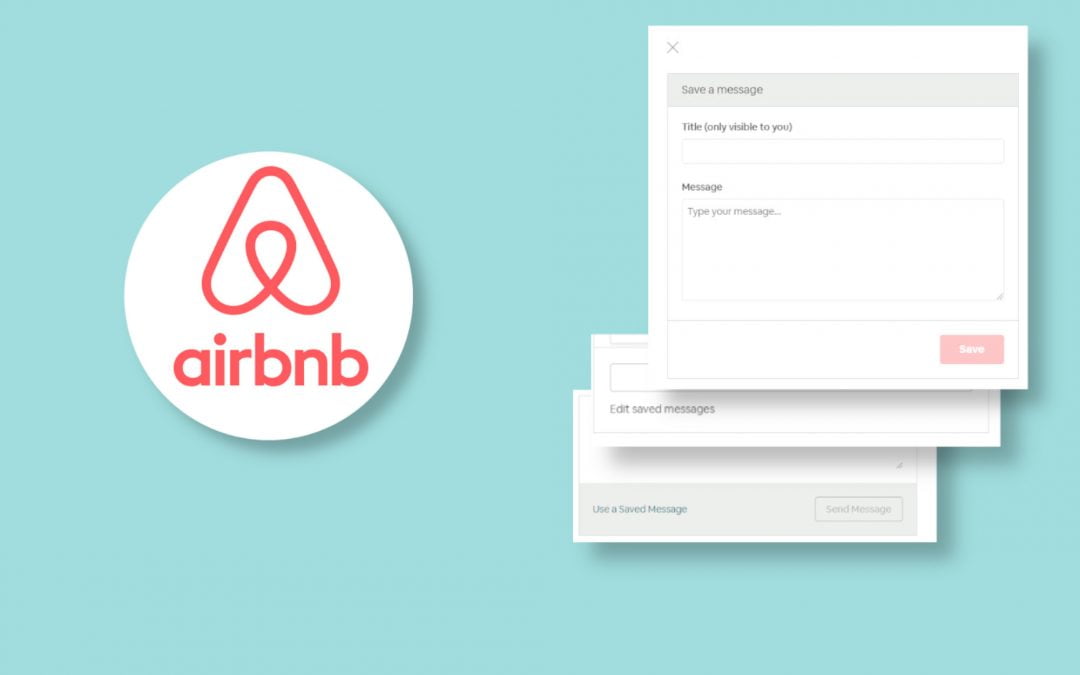
Then on the bottom of the dialog that opens click Save a new message.

Where To Find The Airbnb Email Templates - Airbnb Saved Messages

Note: This is also the dialog where you’ll be able to find your saved messages.

If you want to update your saved message, click Edit saved messages, that’ll open a dialog letting you select the saved message you want to edit.

This is where you give your template a title and type the text of your message template.

When your done click the Save button and there you have it!

You just created a saved message on Airbnb!

Where To Find The Airbnb Email Templates - Airbnb Saved Messages

What To Do On Other Listing Sites

We prefer VRBO’s interface, so that is our go-to for our templates.

But if you prefer Airbnb or don’t use VRBO, then you can use the Airbnb templates for other listing sites.

When you need to respond to someone on a listing site other than Airbnb, go to Airbnb, copy the template text we need, and paste it into the response on the other listing site.

It is slower than when using a template directly on Airbnb, but it’s also a whole lot faster than trying to recreate a response from scratch.

That’s It!

Now you know where and how to create your Airbnb email templates (saved messages) to streamline your Airbnb messaging process.

Was this helpful?

Is there something you do differently?


Enjoy this post? Pin it for later!

How To Create Airbnb Email Templates

Why You Need To Use Airbnb Email Templates

Why You Need To Use Airbnb Email Templates

Make It Easy On Yourself – Create Email Templates

Sending emails to guests can be a time-consuming task… especially if it’s not done correctly.

And the more properties you have, the bigger the problem gets.

It’s a waste of your energy trying to come up with the right wording for a message every single time.

And chances are you’ll realize later that you forgot to include something in the message or later figure out a better way of saying something.

Instead, lighten the burden on yourself and start using email templates.

Using email templates makes it A LOT easier to respond to guests.

There’s no worse feeling than standing in the middle of a supermarket while grocery shopping, trying to compose a thank you message for a booking, and for the life of you – you can’t remember what your last thank you message said (ask us how we know that lol)

Disclosure: Some of the links below are affiliate links. If you decide to purchase any of these products, we earn a small commission at no additional cost to you. We recommend these products only because we have experience with them and use them for our own business. As Amazon Associates we earn from qualifying purchases.

What’s The Point Of Templates

When we’ve mentioned to other VR owners that we use email templates, we’ve had mixed reactions.

We were surprised to hear that some owners weren’t very keen on the idea of templates.

Some of the surprising comments to us were, “I like composing the messages myself”, “it’s easy for me to write up the message”, and “I want to make sure I add that personal touch”.

We like using message templates because:

  • It’s Fast
  • It’s Easy
  • It’s Consistent
  • Your Best Message Wording Is Always Used

It’s Faster

That speed has a double benefit.

First, it takes up less of your time. A message is sent out in a few seconds compared to at best at least a few minutes.

Second, responding quickly to inquiries boosts your performance on the OTAs and helps you get the booking. 

They’re Easier

Composing a message from scratch can be difficult, especially if your on your phone and in the middle of something.

With a template, you select the template, customize it a little if needed and shoot it off. You don’t have to put much thought into it.

It typically takes less than a minute to respond to most messages using a template. 

Email Templates Are Consistent

Once you do this for a bit it’s good to know the patterns.  With Templates, along with a good email sequence, you’ll know what information was sent when.

Otherwise, you’ll always be looking at your previous correspondences to see if you remembered in the past to send them their house guide, or the house address, or whatever bit of information you were supposed to have sent them.

The Best Version Of Your Message Is Always Used

Not sure if this happens to you, but with us, we’re not always very eloquent. We have our moments of wordsmith genius… and other times not so much.

Prior to using templates, our messages were hit and miss.

We would kind of sort of remember a past guest that we responded to with a good response and start searching for that person in our messages and hopefully we’d find it then copy the text from there.

If we didn’t find the old message, we’d have to start creating a new message from scratch.

With templates whenever we are in wordsmith genius mode and something good comes out of us, we update the template.

And from that point forward, the best version we came up with to say something is always being used.

Remember – Templates Don’t Have To Be Impersonal

In fact they shouldn’t be.

Using a template doesn’t mean you have to send an informal, robotic message to every person that books… the template is just a starting point or baseline.

What we do, is put the best version of the message with everything we want to communicate in the message template… that way we don’t forget anything.

If the guest asks a question, no problem!

We start with the template and customize the response to include the answer to their question and add a little personal touch.

Email templates are fast and easy. 🙂

Where To Create Email Templates

Currently, the two biggest OTAs, HomeAway/VRBO and Airbnb both give you the ability to use email templates.

We personally prefer HomeAway’s interface for the templates but they both do the job well.

It’s probably also a good idea to keep your templates outside of an OTA, even if it’s just a document or email in your drafts folder.

That way you don’t have to start from zero when the unexpected happens.

Thanks For Reading

Well, there you have it.

If you’d like to starting setting up your templates, check out the next posts on how to create your Airbnb email templates and how to create VRBO email templates.

Did this article convince you that email templates are the way to go?

Why not give it a try?

Let me know in the comments!

How To Create Your VRBO Email Templates
How To Create Airbnb Email Templates


Enjoy this post? Pin it for later!

Why You Need To Use Airbnb Templates

A Killer Airbnb Email Sequence For More Reviews

A Killer Airbnb Email Sequence For More Reviews

A Killer Email Sequence For More Reviews

If done right, an Airbnb email sequence will give your guests that extra bit of reassurance that they made the right decision when choosing your house.

Effective communication with your guests is vital to a smooth booking experience and stay for your guests.

Your message flow guides them through the booking process and tells them what to expect as well as what to do next.

We’ve spent quite a bit of time on our message flow, and updated our message templates as we gained experience.

Here we’re going to share what our Airbnb email sequence is and why, along with a few tips.

Disclosure: Some of the links below are affiliate links. If you decide to purchase any of these products, we earn a small commission at no additional cost to you. We recommend these products only because we have experience with them and use them for our own business. As Amazon Associates we earn from qualifying purchases.

What’s The Goal Of Your Messages

Your specific goal may vary, depending on who your typical guest is.

But for the most part, the messages should help guests feel comfortable, happy with their choice, and help answer their questions before they even ask them.

At the end of each message, there should be an action item.

It can be either something the guest should do or what they can expect next.

It’ll set their expectations and also guide them to the next step.

A Killer Airbnb Email Sequence For More Reviews - Whats The Goal Of Your Messages

Our email sequence hasn’t changed very much in the last few years.

We have ironed out a lot of the kinks, and questions from our guests are pretty rare.

No matter who your typical guest is, the right email sequence will show them that you haven’t forgotten about them, and it’ll also help them have a better stay – which translates to more great reviews!

That’s what every vacation rental host should aim for, especially in the beginning.

Reviews are the currency of vacation rentals – more reviews equals more revenue.


Try To Keep It Wooty

I know you have no idea what that means. Let me explain.

We try our best to keep our messages casual and relaxed. It hasn’t been that easy for us. It’s most likely because we came from the corporate world, where writing in a more professional tone was expected… and now I guess it’s ingrained into our being. lol

When we first started working on our message sequence, we realized that our messages were way too uptight.

After all, this isn’t a real estate closing. It’s someone booking their vacation, let’s make it more fun!

Back then, we used to get regular emails from a site called woot.com. They were kind of like a deal of the day website, and their messages were really fun and relaxed.

That fun and relaxing style was the writing style we were going for.

So from that point forward, we tried our best to make the email sequence “wooty”.

Our messages are still not full-on wooty, but we’re still a work in progress. 🙂

So without further ado, here’s the messaging flow we use after a guest books.


Email #1. Thank Them For Choosing Us

We send this message right after they book their stay.

The first thing we do is thank them.

Let’s face it, we know that there are a lot of vacation rentals to choose from out there.

Expressing our thanks for choosing us over the others is a great way to start the conversation off on the right foot.

We also ask them for proof of id. We want to make sure they are who they say they are and that they meet our minimum age requirement.

Email #2. Thank Them For The Copy Of Their License

Once they send us a copy of their license, assuming that everything jives with it, we thank them for sending it to us.

If this is their one and only payment we also include some information about the area activities and restaurants so they can start planning their stay. Otherwise we send this info with the second payment thank you email.

We also let them know that we’ll send them info for their stay when their check-in date gets closer and that they can reach out to us with any questions.

A Killer Airbnb Email Sequence For More Reviews - Ask For License

Note: If our gut tells us that something feels off with the booking, this is where we let the guest know that we don’t think they would be the right fit for our house.

Email #3. Thank Them For Their Second Payment (if there was one)

If their payments were split in two, then we thank them right after they make their second payment.

Since this guest didn’t get the information about the activities and restaurants in the prior message, we give them that info here.

A Killer Airbnb Email Sequence For More Reviews - Second Payment

Email #4. The Check-in Info

We send them this message 21 days before check-in.

The check-in message has a lot of info. The message itself has all the meat that they’ll initially need.

Things like keycode, address, contact info, check-in and check-out times and WiFi password.

We also send them the house guide as an attachment. 

A Killer Airbnb Email Sequence For More Reviews - Checkin Message

Email #5. The Welcome Message

We send this on their check-in day, a few hours before their check-in time.

In this message we let them know that everything is ready for their check-in.

We also let them know about the supermarkets in the area and once again remind them to reach out to us if they need anything.

A Killer Airbnb Email Sequence For More Reviews - Welcome Message

Email #6. How Are They Doing?

This is sent the next day in the late morning. It’s really just to see how everything is.

This is the last message we send during their stay – unless they reach out to us.

A Killer Airbnb Email Sequence For More Reviews - How Are They Doing

Email #7. Would You Like A Late Check-Out?

The day before their check-out we send them a message asking if they would like a late check-out and if the do what time works for them. 

Of course, that’s only if no one is checking-in on the day they check-out.

A Killer Airbnb Email Sequence For More Reviews - Would They Like A Late Checkout

Email #8. The Thank You Message

After they check-out we send them a simple thank you message wishing them safe travels and letting them know we’d love to have them back again soon. 

A Killer Airbnb Email Sequence For More Reviews - The Thank You Message

Email #9. Please Write A Review For Your Stay

The day after they check-out we send the guest a review request.

The message says we hope they had a safe trip back home, we loved having them, would appreciate a review and hope to have them back soon.

If we don’t get a review then we send them the second review request message 5 days after check-out and the third review request 10 days after check-out.

A Killer Airbnb Email Sequence For More Reviews - Ask For A Review

Make Sure To Create Templates For Your Email Sequence

Templates have totally revolutionized corresponding to guests.

Putting some time into creating templates now will make responding to guests soooo much easier going forward. It really is a night and day difference.

If your ready to start saving some templates, take a look at my next article, how to create your Airbnb email templates and it’ll give you all the details you need to create them.

If you’re not sure you see the benefit, take a look at this post, why you need to use airbnb email templates. 

Did You Like The Email Sequence?

There’s the email sequence that we’ve used for several years for our vacation rental business.

Was there an email that you were missing?

Is there something you do differently?

Let me know in the comments below!


28 Airbnb Host Must Haves for The Kitchen

28 Airbnb Host Must Haves for The Kitchen

28 Airbnb Host Must Haves For The Kitchen

As they say, the kitchen is the heart of the home. In an Airbnb vacation rental, the kitchen is even more important.

Often times the main reason a guest chooses to stay in an Airbnb instead of a hotel is because of the kitchen.

So it makes sense to stock the kitchen with the essentials – and perks if you have the space.

It takes time to figure out what you should be providing your guests. A lot of it was trial and error for us, this list should help you figure out what you may be missing in your Airbnb.

We started with 28 items on the list but we keep adding to the list as time passes, so there are a few bonus items in there now. 😉


Disclosure: Some of the links below are affiliate links. If you decide to purchase any of these products, we earn a small commission at no additional cost to you. We recommend these products only because we have experience with them and use them for our own business. As Amazon Associates we earn from qualifying purchases.

So what are the Airbnb host must haves for the kitchen?

Here’s the list of some of the kitchen essentials that we have for our guests.

After the list I’ll go over why we made some of the choices we made.

Airbnb Kitchen Must Haves List

Correl Dishes

We chose Correl dishes for our vacation rentals because they don’t break, are very affordable, look good and stack very nicely.

We’ve been doing vacation rentals since 2012 and have yet to replace any dishes.

Click the dishes below to get the same one we use.

12 Cup Coffee Maker

We provide 2 of these 12 cup coffee makers for our houses.

Since our guests are usually large groups, two coffee makers make the mornings much easier to deal with.

We chose this coffee maker because it’s programmable and simple to use.

Click the coffee maker below to get the same one we use.

Keurig Coffee Maker

We initially only had the regular coffee makers. Then a couple of years ago, our guests started asking if we had a Keurig coffee maker – so it made sense to get one.

We chose the single cup Keurig, since we didn’t have that much space for it.


Click the Keurig below to get the same one we use.


Coffee Grinder

This may not be a must have, but it’s a nice to have.

We use one ourselves so we figured our guests would probably also like to grind their coffee during their stay.

Click the coffee grinder below to get the same one we use.

Electric Can Opener

We started with the manual can openers but they kept breaking. We found one that was pretty sturdy so we stayed with that.

Then we had an grandmother ask us if we had an electric can opener because she found it difficult to open the cans with manual can openers.

That was something that never occurred to us, and we’ve had electric can openers ever since. 🙂

Click the electric can opener below to get the same one we use.

Pyrex Cookware

Our properties attract large groups and extended families, as a result many of our guests expect to cook meals during their stay.

So we provide Pyrex for them to do whatever cooking they want to do, and it also gives them the ability to save left overs.

Click the pictures below to get the same ones we use.

Crock-Pot

We personally never really use a crock pot, but it’s something than may guests have asked if we have one. On more than one occasion they even asked how many crock-pots we have! (We have one BTW).

Click the pictures below to get the same one we use.

Toaster Oven

We really like this toaster oven. We bought it originally from Target because it was the only one they had available but it turns out it is a great toaster oven, the ability to air fry is a bonus for us. 🙂

Click the picture below to get the same one we use.

Cookie Sheets

Something parents and grand parents LOVE to do with little kids is bake cookies while on vacay. If we can help create those wonderful family memories by providing cookie sheets then we should! 🙂

Click the pictures below to get the same one we use.

Stemless Wine Glasses

We LOVE stemless wine glasses, for our vacation rentals and our home! The have a nice feel, and have less of a chance of falling over and breaking or causing stains.

Click the picture below to get the same one we use.

Drinking Glasses

These drinking glasses are great. They have a nice feel and are on the thick side, so they don’t break as easily.

Click the picture below to get the same one we use.

Plenty of Silverware

We believe in having an abundance of silverware. If your property sleeps 4 and you have silverware for 4 it just feels cheap, not the impression you want.

Click the pictures below to get the same ones we use.

Jumbo Steak Knives

This is a super bonus if you have the space and want to give that extra something. These steak knives are that extra something. You know most vacation rentals don’t provide knives like these!


They’re dishwasher safe and hold up pretty well to wear and tear. We’ve had them in the houses for about two years and they look the same as the day we bought them.

Click the picture below to get the same ones we use.

Enjoy this post? Pin it for later!

28 Airbnb Host Must Haves For The Kitchen

28 Airbnb Host Must Haves for The Kitchen

How To Organize Your Vacation Rental

This Is How To Organize Your Vacation Rental

When first starting out with a vacation rental business, it can be a little daunting trying to figure out where everything should go.

Not only are you trying to figure out the “public areas” of your house but you’re also trying to figure out where to put your stuff, the spare equipment, cleaning supplies, spare linens, etc.

We’ll go through it a little here to help clarify where you can start and what to look for.

Disclosure: Some of the links below are affiliate links. If you decide to purchase any of these products, we earn a small commission at no additional cost to you. We recommend these products only because we have experience with them and use them for our own business. As Amazon Associates we earn from qualifying purchases.

Organizing Your Vacation Rental Public Space

By public space I mean all the areas of your vacation rental that will be accessible to your guests. 

Getting the public spaces organized is really important.

It helps the guest’s vacation flow smoothly when they can easily find what they are looking for.

Organizing the space correctly will also make it easier for guests to put things back where they found them. Bonus!

If at all possible, place things in the areas they are going to be used the most.

For example, if you have a baby’s highchair, place it in an area where it would be relatively accessible.

If the kitchen is on the first floor placing the highchair in a bedroom closet on the second floor wouldn’t make too much sense.

Where To Start

The best way to figure out how to organize your vacation rental is by using it. 

Spend a few days in the house and see what makes sense to have where.  

Make sure to try each bedroom and bathroom, getting a feel for what improvements can be made.

As you go about the house and come across something that can be added or removed, jot it down somewhere.

We use a running list in our email but you can use just about anything.

The point is to commit the thought to paper (digital or otherwise) before it escapes you.

The Kitchen

Hands down, the room with the most to gain from being organized, is the kitchen. 

The kitchen is where things can get ugly in a hurry if it’s not organized.

Pay attention to which cabinet you would expect to find the glasses.

How about the pots and pans? 

What drawer would you expect to find the silverware in? 

Wherever you’re initial answer is, is where that thing should go.

It would also be a good idea to use labels in the kitchen, letting guests know what goes where.

For tips on labeling, take a look at this article, 3 tips for keeping a vacation rental kitchen organized

The Living Areas

In the living areas, see if a table needs to be moved or added to make the space more comfortable.

While watching TV do you need a cocktail table to put your drink down?

Do you need a side table to put down a snack?

Does the space have enough seating for everyone? 

The Bathrooms

Make sure to use each bathroom to get an understanding of what can be improved. Do you need more shelf space for toiletries?

Are there enough towel racks or hooks?

Is there a place to put your towel when taking a shower or bath? 

The Bedrooms

For the bedrooms, make sure there’s a place to put your glasses, charge your phone, and enough storage for their stuff.

Are there enough hooks in the bedroom?

Do you need a side table to keep the phone next to you?

Are there lamps on each side of the bed?

Is there a place to charge your phone?

The Owner’s Closet(s)

No matter the size of the vacation rental, there should be at least 1 owner’s closet.

Maybe more if it’s a big house.

For both our vacation rentals, we have 3 owners closets. One for the linens, one for spares of things and one for extra cleaning supplies. They are both good sized houses (5 bedroom and 6 bedroom), and they had plenty of closets.

When choosing a closet, we select the closets that would not really be used by guests.

Closets in the hallways, or bathrooms are perfect owner’s closet candidates.

Listen To Others

Once you have your vacation rental the way you like it and it feels organized to you, invite others over for the weekend.

See what they feel is missing.

When we invite friends over we ask them to pay attention to their behavior and see if they can come up with something that can be move, added, removed or changed to make the experience better.

Also keep in mind that even if you’re a veteran vacation rental host, this process never stops for you. As time goes on there is always something that can be changed or improved… all you have to do is listen.

It’s important to pay attention to what guests tell you in their comments or reviews. Also look how they rearrange things to get a feel for what others like.

That’s a Good Stopping Point

That should give you enough to think about when it comes to figuring out how to organize your vacation rental.

We’ll write more articles on the topic, probably focused on the kitchen and owner’s closets… there’s a whole lotta details in both those topics that we can cover. 🙂

Enjoy this post? Pin it for later!

This Is How To Organize Your Vacation Rental

Pin It on Pinterest